
Stream to 3D 5.5: Integrated Live Sources and Expanded VR/XR Presets
Stream to 3D 5.5 integrates camera, capture-device and PC screen Live Sources and expands current VR/XR resolution presets.
Stream to 3D version 5.5.0 brings camera, capture-device and PC screen Live Sources into the main application and expands the Configuration Wizard for current VR headsets and XR glasses.
These improvements build on Stream to 3D's established Play, Stream and Convert workflows. Real-time playback does not require a high-end GPU. Higher resolutions, file encoding and network streaming still benefit from capable hardware and appropriate settings.
Live Sources inside Stream to 3D
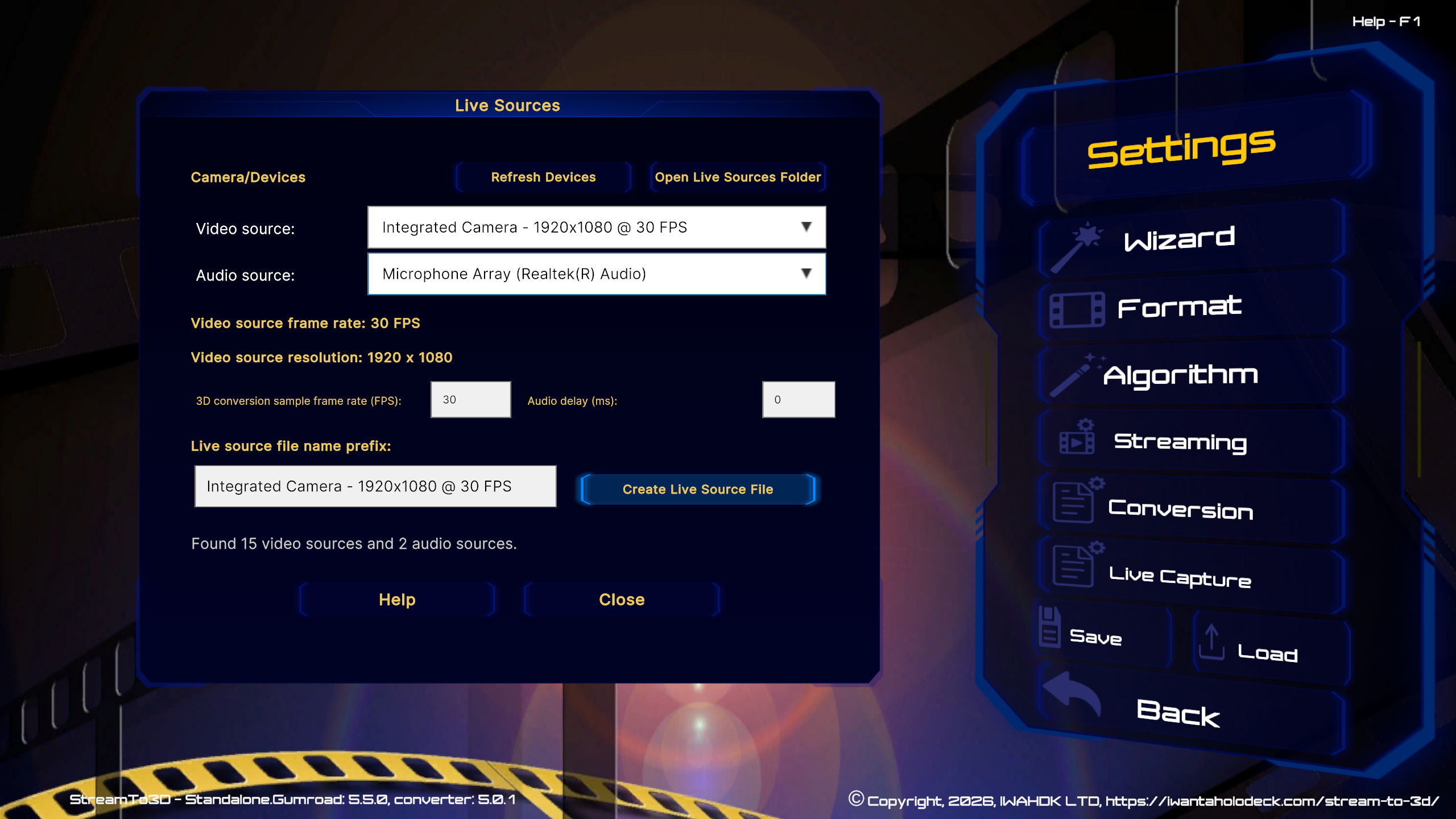
Release 5.5 brings Live Source creation and management into the main Stream to 3D application. Open Settings > Live Capture to create sources for cameras, capture devices and PC screen capture without moving to a separate utility.
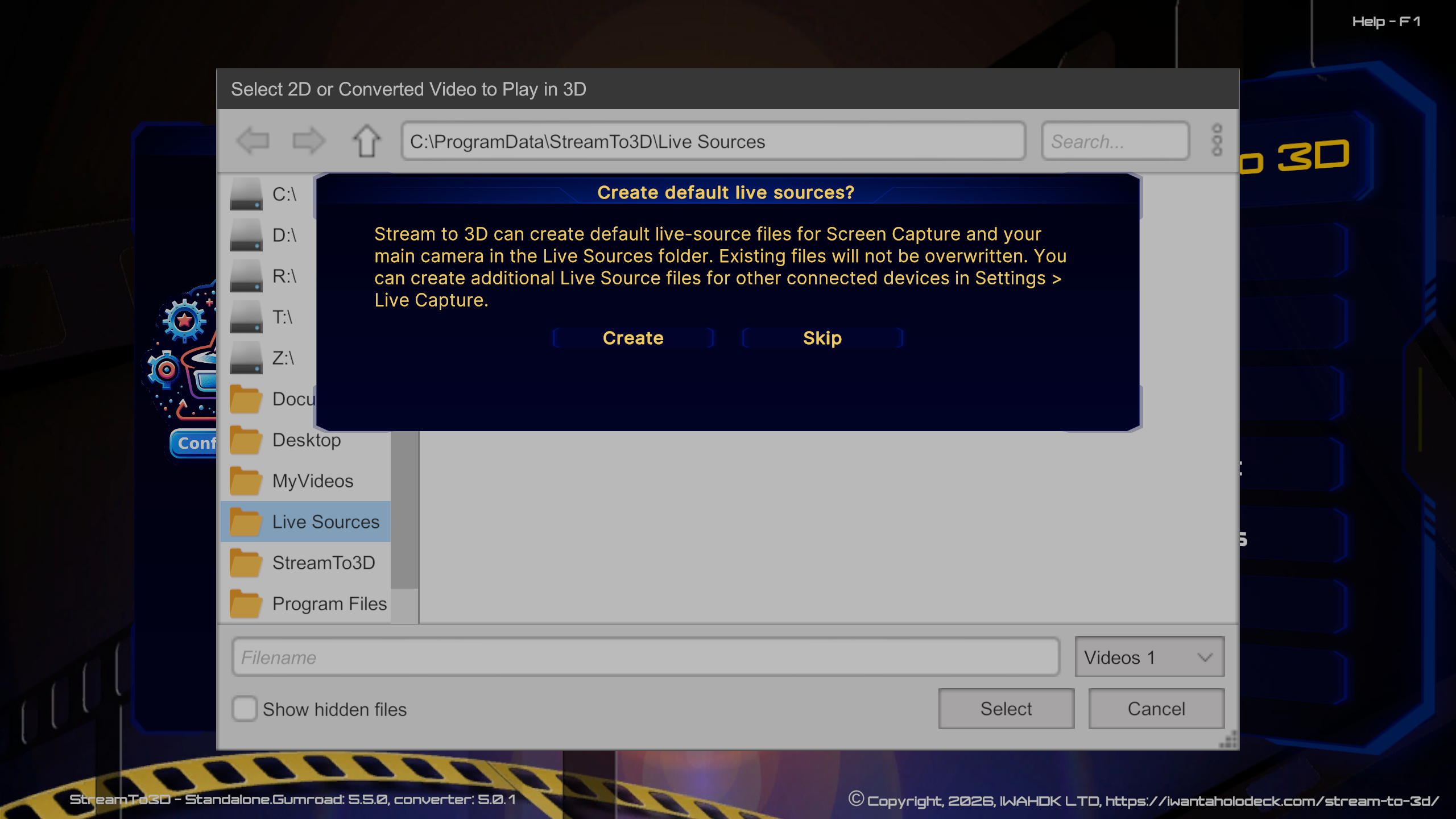
When you first choose Live Sources from Play, Stream or Convert and a default is missing, Stream to 3D asks whether to create Main Camera.s3dsc and Screen Capture.s3dsc. The files are created only after you select Create. Existing default files are not overwritten, and you can select Skip if you prefer to create sources manually.
The integrated settings let you refresh attached devices and select the video source, source format, resolution, frame rate, audio source, conversion sample rate and audio delay. This supports additional cameras and capture devices as well as the defaults.

Expanded VR/XR resolution presets
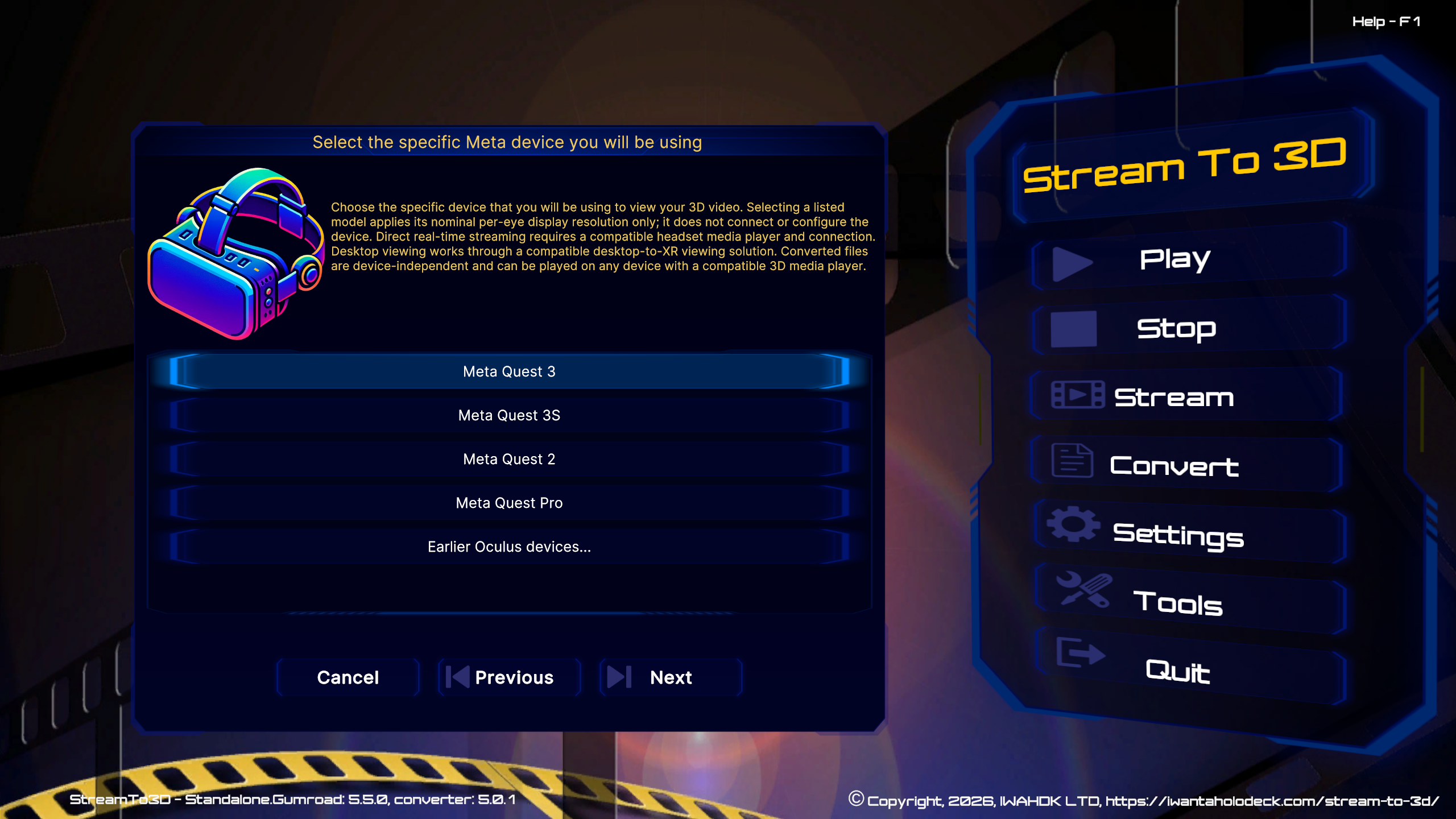
The Configuration Wizard now provides an easier-to-navigate catalogue of current devices. Release 5.5 adds or refreshes presets for devices including:
- Samsung Galaxy XR
- Valve Steam Frame
- XREAL 1S, One and One Pro
- VITURE Beast, Luma and Luma Pro
- VIVE Focus Vision and VIVE XR Elite
- PICO 4 Ultra
- Pimax Crystal Light and Crystal Super
- Varjo XR-4
- Bigscreen Beyond 2
Popular current vendor families appear earlier in the Wizard, while legacy Oculus, VIVE and Nreal models remain available under Meta, HTC/VIVE and XREAL.
Availability and feature upgrades
The 5.5 application update is delivered through the store where Stream to 3D was purchased:
- Steam Standalone: Play, Stream and Convert. Current eligible purchases include Configuration Wizard and Live Sources. Earlier owners should review the Stream to 3D Item Store only if Stream to 3D reports that the corresponding feature is locked for their account.
- Gumroad Complete: Play, Stream and Convert with the current Live Sources functionality.
- Gumroad Real-Time: Play and real-time Live Sources; Stream and Convert are not included. The one-week trial does not include file conversion.
- Gumroad and Itch.io Standalone: the 5.5 application is a free update. Live Sources are included with eligible current purchases; some earlier licences require the separate feature upgrade.
Prices, currencies, tax and billing intervals are determined by each store and region. See the Store and edition comparison for current purchase and upgrade routes.
Updating to version 5.5.0
Stream to 3D checks for updates when it starts. Supported earlier versions automatically show an Update Available prompt when version 5.5 is required. You do not need to find the installer on the store page.
- Steam: close Stream to 3D and allow the Steam client to install the update before launching it again. After updating from an earlier release, open Tools in Stream to 3D and check that the supporting applications you use are still detected. The optional tools installer in the Stream to 3D Steam folder can repair or add those applications when required.
- Gumroad and Itch.io: select Download in the update prompt, then run the downloaded 5.5 installer over the existing installation.
A normal update is designed to retain your Stream to 3D settings and saved Live Source files. Keep a copy of important custom configuration files before upgrading, and use the Support page if the updated application does not find an existing setting or supporting application.
Compatibility notes
- Stream to 3D 5.5.0 is a 64-bit Windows application for Windows 10 and Windows 11.
- Camera and capture-device availability depends on Windows detecting the device, camera privacy access being enabled, the device not being held by another application and a usable source format being available.
- Configuration Wizard device presets select a nominal output resolution; they do not install, connect or configure the device's viewing software.
- Direct streaming requires a compatible player and connection. A converted 3D file can be used on any device that has a compatible player for the selected 3D format.
- Real-time playback does not require a high-end GPU. Live Source, higher-resolution, file-encoding and network-streaming workflows still depend on the source, selected settings and PC.
Privacy and local media
Your source video and audio are processed on your Windows PC. Stream to 3D does not upload your media to IWAHDK LTD. An internet connection is required to validate your licence, subscription and feature access. A limited amount of purchase, licence, product, installation, device and connection information is used for that validation and to apply installation limits. See the Privacy Policy for details.