
Live Capture Details
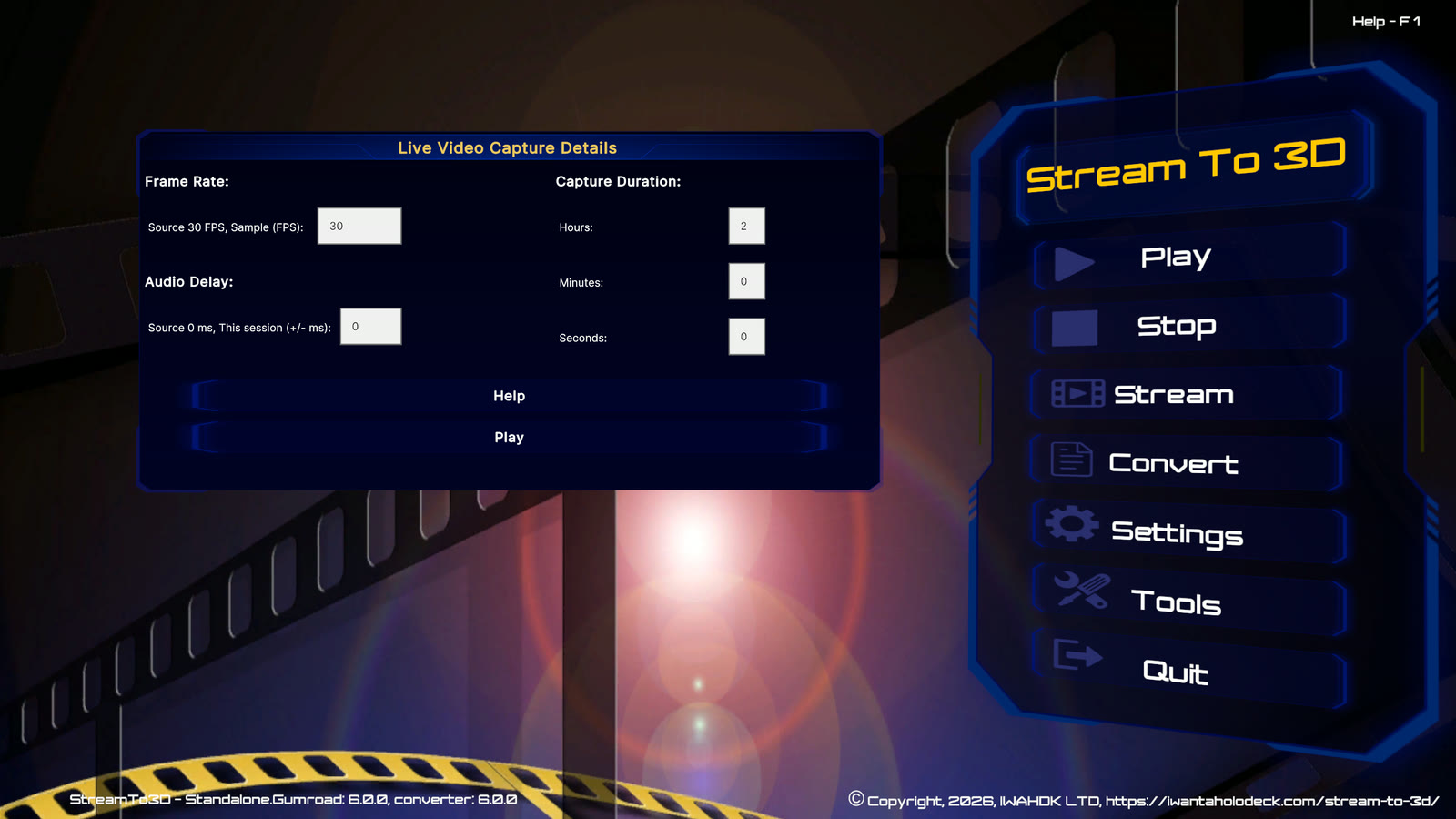
Live Capture Details is shown after you select a Live Source for Play, Stream or Convert. It lets you adjust timing for the current session before capture begins.
Sample frame rate
The source frame rate is shown beside the editable sample value. The sample frame rate controls how often Stream to 3D samples the live video for 3D conversion. Start with the source frame rate unless performance testing indicates that a lower value is needed.
Audio delay
Audio delay adjusts audio/video synchronisation in milliseconds. Leave it at the source value unless you can see or hear a consistent timing difference. Positive and negative adjustments are supported.
Capture duration
Set the maximum unattended capture time in hours, minutes and seconds. The default is two hours. You can stop the session earlier from the main Stream to 3D controls.
Continue
Choose the workflow button at the bottom of the dialog to continue with Play, Stream or Convert. The button label follows the workflow you selected.